Cafés and bakeries
From the oven to the feed before the first customer walks in
With LookMyBio, plan a week of posts for the bakery or the café in a single afternoon, in the look of your own counter, and give your bio link the menu, the address and a WhatsApp button for orders.
Starter costs $27 a month and brings scheduling and the bio page; the brand kit opens on Starter. Menu links become carousels from Creator, and the map block arrives on Creator.


The day starts at four and ends when the till closes
Between the first batch and the last customer, Instagram gets the same story as yesterday. Easter arrives with no post ready, and the Christmas panettone orders only get announced when the deadline is already close.
Your digital presence doesn't have to be this fragmented
LookMyBio brings the whole flow into one platform, so you produce in a more organized way and stay in control of what gets published.
Three steps, done on a quiet afternoon
Give the kit your shop’s character
Paste your website or describe the place: the bread, the coffee, the people behind the counter. Colours, tone and themes are drafted from that.
Turn the new item into posts
Paste the menu link or a short note about this week’s bake and get a carousel and captions to adjust.
Schedule the season and open for orders
Put the week and the big dates on the calendar, then set up the bio with the menu, the hours and the order button.
Your bakery on every post
Keep up to 10 colours, your way of talking to regulars and up to 6 content themes in one place: the morning batch, the coffee of the day, a look behind the counter. AI Studio images can follow its style, and the link-to-post tool writes captions from it.
- Opens on Starter
- Drafted from your website or a few lines you write about the shop
The Brand Kit page in the app, filled in for Casa Linho, a linen clothing shop: identity, colours, fonts, voice, audience and quick wins. Then the bio page editor, with the page drawn in the colours the kit found.

Something new on the counter becomes a carousel
From Creator, paste the link to your menu or a few lines about the seasonal item, like an Easter colomba or a new iced coffee, and a carousel comes back with hooks and captions for Instagram, X, LinkedIn and TikTok, ready for you to rework slide by slide before it goes on the calendar.
- Each run gives one image or a carousel with its caption, never a video
- TikTok takes video only, so pair that caption with a clip you film
The AI posts page in the app: a YouTube link pasted as the source, the video's card, Carousel suggested as the format and what reading it costs. Then the same post finished: every step done and the carousel's slides in Marina Vale's brand, with its caption, ready to publish.
The busy seasons scheduled weeks ahead
Put Easter, the June festivals and Christmas on the calendar while the kitchen is still calm, and each post goes out on time on whichever networks you connect: Instagram, Facebook (Pages only), X, TikTok (videos only), LinkedIn (personal profiles only) and YouTube (videos only). A post for the morning batch can be ready the night before.
- Starter links 2 accounts with room for 30 scheduled posts each month, while Creator keeps the calendar open, with no monthly cap on posts, across 10
- The same post on the shop’s Instagram and its Facebook Page fills two slots
The Socials page in the app for Atelier Rosa, a hair salon: its connected accounts, this week's posts and the Create button. Then the New post composer with a reel for Instagram, Facebook, TikTok and YouTube, its caption, and Instagram's "Made with AI" label switched on.
A bio for people passing on the street
The page behind your bio link shows the menu, a WhatsApp button for orders and the opening hours in a text block from Starter. From Creator add a map to your door, and from Creator a countdown to the last day for panettone orders.
- How many people open the page and which links they tap, from Starter
- Taking the order and the money still happens on WhatsApp or your current system
The Page stats page in the app, with example data for Ama Duarte's dance studio over the last 30 days: views, link clicks and click rate against the previous 30 days, which blocks and links people clicked, where visits came from and what to do next.
Pictures for the days with no photo
When there was no time to shoot the window display, make an image in AI Studio for a holiday greeting or a new flavour, in the style of your kit. Then schedule it for Instagram, Facebook, X and LinkedIn.
- Instagram, TikTok and YouTube have an AI-content label you can set when you publish; elsewhere, saying it was made with AI is up to you
- AI Studio opens on Starter and uses your credits; posting starts on Starter
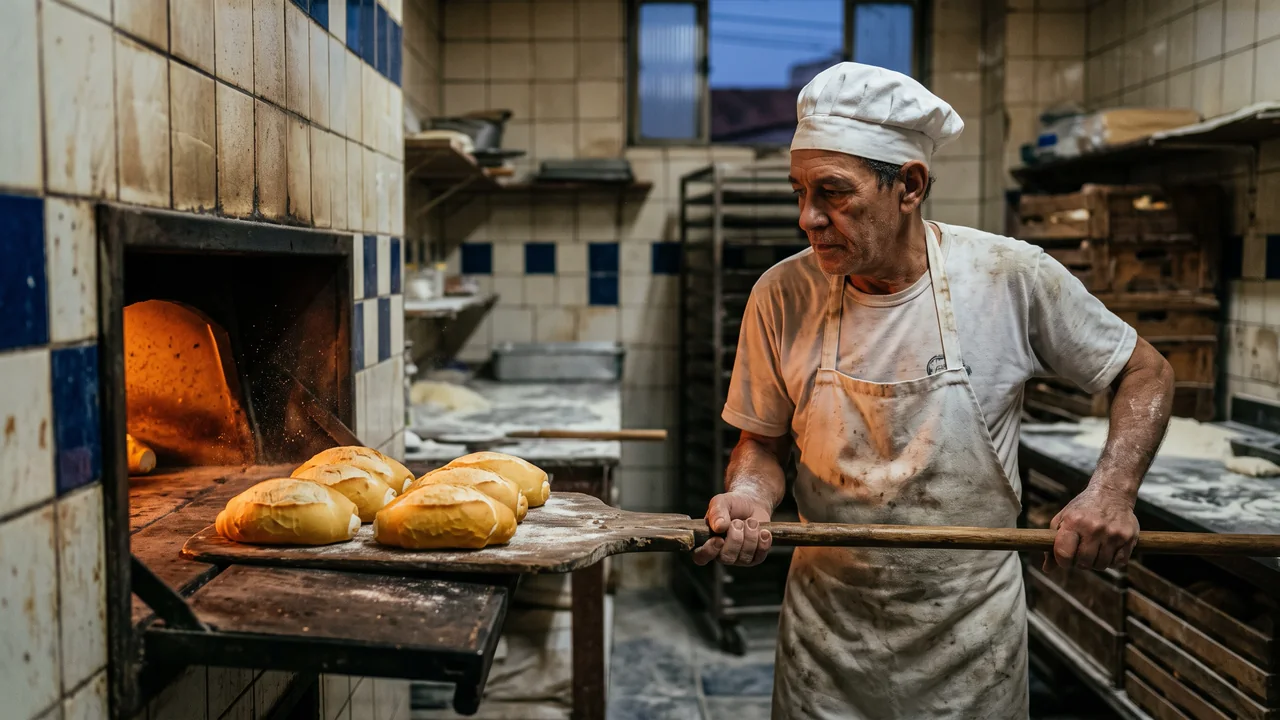
The AI Studio page in the app: the prompt bar moving through image, video and 3D with each model and its credit quote, above the gallery of recent media, an image for each business on this page, a video and a 3D model.
Plans for cafés and bakeries
| Starter | Brand kit, scheduling and the bio page for $27 monthly, with 1 profile, 2 connected accounts and 1,500 credits |
|---|---|
| Creator | Adds the link-to-post tool and the shop blocks for $70 monthly: 2 profiles share 10 accounts and 4,000 credits |
| Not included | Online orders with payment, a digital menu that takes orders, delivery app integration, a loyalty programme or pickup slots |
| Bio blocks for the shop | opening hours text and FAQ from Starter; map, countdown, seasonal carousel and email list for launch news from Creator |
Questions from cafés and bakeries
What café and bakery owners want to know before the next holiday rush.
Have the season’s posts ready before the dough rises
Set up the kit, turn this week’s bake into a carousel and add the order button to your bio.