Weddings and events
Saturday’s wedding, in the feed while couples are still planning
LookMyBio keeps your feed going through a season of back-to-back weekends: posts queued days ahead, each event turned into a carousel in your own look, and a bio page with your packages, your portfolio and the dates you still have open.
Starter, $27 per month, covers the posting calendar and the bio page. Your brand kit unlocks on Starter; the recap-to-carousel tool needs Creator.


Every weekend is booked, and the feed goes quiet
From late summer through fall you are setting up a ceremony every Saturday, and nobody has time to post on a Tuesday. That is the stretch when next year’s couples are scrolling for vendors. The gallery from the photographer lands weeks later, and by then the event never turns into a post.
Your digital presence doesn't have to be this fragmented
LookMyBio brings the whole flow into one platform, so you produce in a more organized way and stay in control of what gets published.
From one event to the next inquiry
Teach it your style
Paste your site or describe your work. The kit keeps your palette, the look you are known for, classic, boho or rustic, and the voice of your captions.
Post the event once the photos arrive
Write a few lines about the day on your blog, then drop that link in and review the carousel and caption it drafts. Each vendor’s @ is yours to type.
Queue the week before the weekend
On Thursday, line up the posts for the days ahead, so the feed keeps moving while you are on site.
The season, queued one week at a time
Line up Monday to Friday before a wedding weekend and let each post go out at the hour you chose, on Instagram, Facebook, TikTok and YouTube. A setup video filmed on your phone goes on the same calendar as the finished table. Mind the narrower ones: Facebook (Pages only), TikTok (videos only) and YouTube (videos only).
- Starter: 2 linked accounts, capped at 30 scheduled posts per calendar month. Creator: 10 linked accounts and a calendar with no monthly cap on posts
- Posting the same piece to two accounts spends two slots of the month
- Your business partner or assistant can join the profile from Creator: Creator has 2 teammates per profile, Teams has no set ceiling on teammates
The Socials page in the app for Atelier Rosa, a hair salon: its connected accounts, this week's posts and the Create button. Then the New post composer with a reel for Instagram, Facebook, TikTok and YouTube, its caption, and Instagram's "Made with AI" label switched on.
One event, one carousel
From Creator, paste the link to the event recap on your blog, or a feature a magazine ran about it, and get back a carousel with a hook and a caption. Pick the voice first: Instagram, X, LinkedIn and TikTok. Each slide can take a photo you upload instead of an AI picture.
- Credit every vendor in the caption by hand; nothing is tagged for you
- Use the photographer’s pictures only with their permission and a credit
The AI posts page in the app: a YouTube link pasted as the source, the video's card, Carousel suggested as the format and what reading it costs. Then the same post finished: every step done and the carousel's slides in Marina Vale's brand, with its caption, ready to publish.
A bio page that answers “is that date still open?”
From Starter, your bio page opens with a header for your region and services, then a link for each package and a text block listing the dates still open next season, which you edit yourself (text blocks from Starter). A button that opens WhatsApp or email comes with Starter. The stats, from Starter, tell you how often the page was opened and which package link drew the taps.
- Carousel of past weddings (Creator), venue map (Creator), embedded video (Creator) or Instagram post (Creator), bridal show countdown (Creator)
- FAQ (Starter), newsletter sign-up (Creator), quote request form (Teams)
The Page stats page in the app, with example data for Ama Duarte's dance studio over the last 30 days: views, link clicks and click rate against the previous 30 days, which blocks and links people clicked, where visits came from and what to do next.
Your invitations and your feed in the same hand
Up to 10 colours sit in the kit next to 6 content themes, such as the event of the week, setup day, tips for couples and new dates. Images and captions made later start from it, so a corporate party and a garden wedding still look like your studio.
- Available from Starter
- It reads your website; with no site, a short paragraph about the business does the job

The Brand Kit page in the app, filled in for Casa Linho, a linen clothing shop: identity, colours, fonts, voice, audience and quick wins. Then the bio page editor, with the page drawn in the colours the kit found.

Moodboards while the gallery is still coming
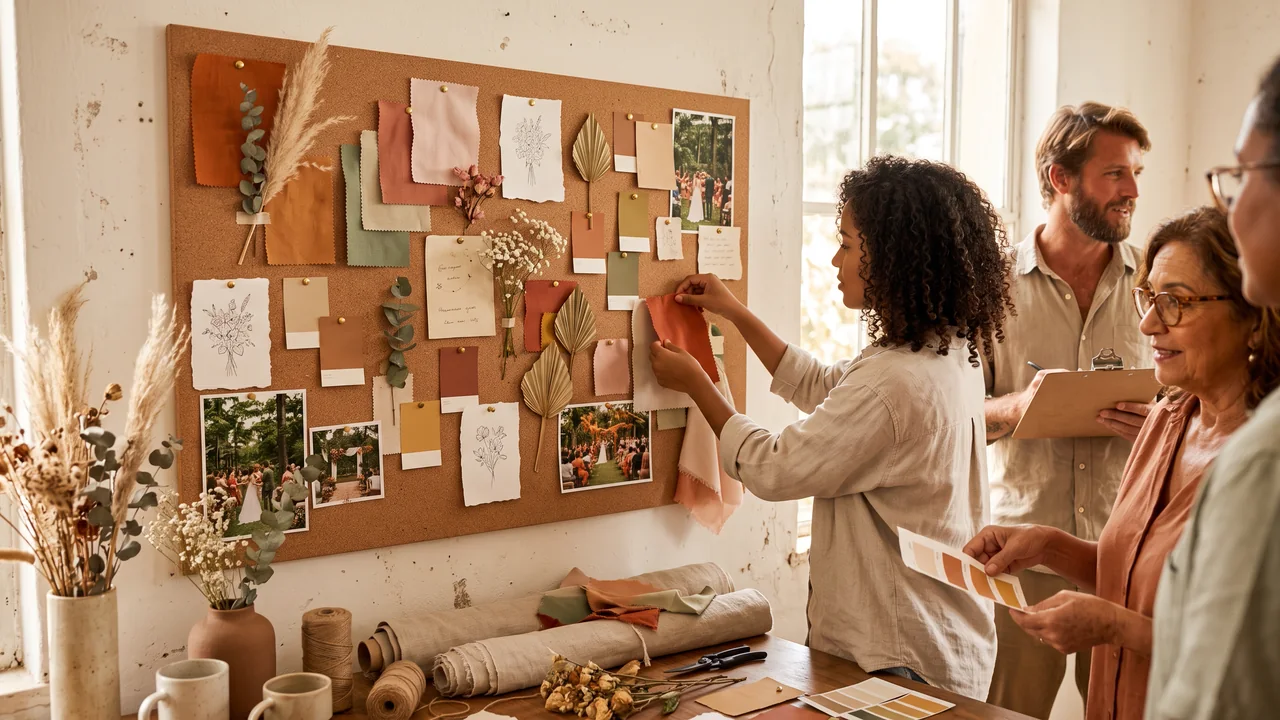
In AI Studio, from Starter, describe a palette, a centrepiece or a ceremony arch for the coming season and get inspiration images in your brand’s style. Post them on Instagram, Facebook, X and LinkedIn; each image costs credits, shown to you before it is made.
- Present them as inspiration, never as an event you held
- Turn on the network’s own AI label when you publish (Instagram, TikTok and YouTube); elsewhere, follow that network’s rules
The AI Studio page in the app: the prompt bar moving through image, video and 3D with each model and its credit quote, above the gallery of recent media, an image for each business on this page, a video and a 3D model.
Plans for wedding and event vendors
| Starter | Bio page, brand kit, 1,500 AI credits and 2 linked accounts, with the calendar capped at 30 scheduled posts per calendar month; $27 each month |
|---|---|
| Creator | Everything in Starter, plus recap to carousel, 2 teammates per profile, 10 linked accounts across 2 profiles and 4,000 AI credits; calendar with no monthly cap on posts; $70 each month |
| Ideas for the calendar | The event of the week with its vendors credited, a setup video, how far ahead couples should book, next year’s dates opening, and holiday parties in December |
| Not included | A booking calendar, contracts, automatic quotes, deposits or payments, guest lists and RSVPs, gift registries, a client CRM, a DM inbox, reviews or automatic vendor tagging |
Questions from wedding and event vendors
What planners, venues and decorators ask before peak season fills the calendar.
Keep the feed busy on your busiest weekends
Set up the kit, turn last weekend’s event into a carousel and list your open dates on the bio page.